








 Cyber Backup
All the data that you backup will be stored in an offsite location, so that in case of a disaster at the location of your VPS or Dedicated Server, your backup data will remain safe.
Start your business at just ₹999 / month
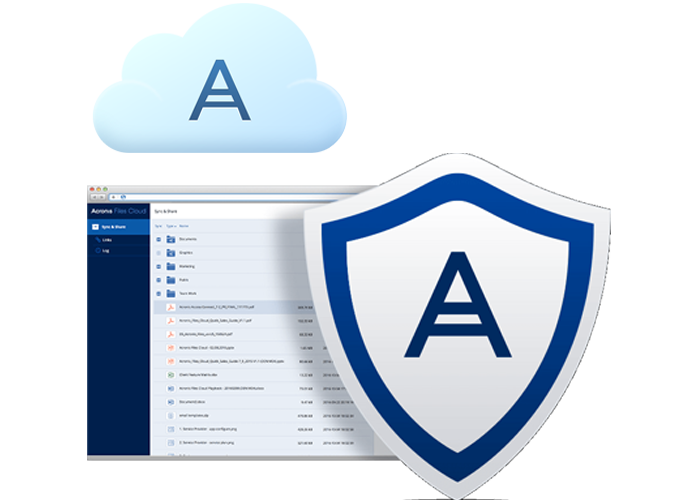


Automatic setup of backup account
Our system automatically creates and configures your backup account once the order is confirmed, ensuring immediate protection for your data.
Schedule backups from the panel
Set up customized backup schedules through our intuitive control panel, allowing for daily, weekly, or real-time data protection.
Restore from any backup point easily
Recover your data from any saved backup point with ease. Our one-click restoration process ensures minimal downtime for your business.


VPS Servers
Experience reliable offsite backups for your VPS containers, ensuring your application data is safe from local hardware failures.
- Eos eos accusam sed vero sit.
- Nam harum.
- Sed quia consequuntur.
Start your business at just ₹999 / month
View Plans
Dedicated Servers
Secure your mission-critical dedicated server data with robust, high-capacity backup storage and rapid recovery options.
- Quidem rerum.
- Ut enim ad minima.
- Nisi ut aliquid ex ea commodi.
- Full System Image Backups.
- sea sanctus magna vero.
Start your business at just ₹5,500 / month
View Plans
Windows Dedicated Servers
Reliable backup solutions for Windows environments, featuring Microsoft VSS support for consistent database backups.
- Excepteur sint occaecat cupidatat.
- Veritatis et quasi architecto.
- Neque porro.
Start your business at just ₹3,200 / month
View Plans
No bill shocks, no headaches
Simplified prepaid pricing for Backup
Pay only for the backup space needed
No additional costs for backups or restores
Increase the backup storage anytime you need

Eliminates all manual tasks
Automatic setup of backup account
Schedule automatic and regular backups
Restore to same server or another with a few clicks
Fast backups and restores
All the intelligence on one panel
Manage all your VPS and Dedicated servers
Check health of all your backup processes
Stay updated with alerts and notifications
Automated email alerts
Peace of mind Security
Off-site backups to ensure data redundancy
Ransomware protection
Malware protection
Vulnerability assessment


Our expert support team is available 24/7 to assist you with backup configurations, data recovery, and technical guidance. We ensure your business continuity is never compromised.
Call Us : 123-789-7854 (Or) Chat Now
Contact Now
No. Acronis has its own product lifecycle and will not be automatically renewed with your VPS or Dedicated Server. You will have to renew it separately.
If you need more backup storage space you can go to the order management page and add more storage